
I've been shooting product photos for about four years now. Started with a DSLR and a $40 lightbox from Amazon, graduated to a proper tabletop setup, and somewhere along the way realized that taking the photo is maybe 30% of the work. The other 70% is editing.
Background removal specifically. It's the most tedious, most repetitive part of the whole process. And it's the part where I finally gave in and let AI take over.
But I didn't just test it on easy stuff. I wanted to know where it breaks. So I picked 12 products across different categories — some easy, some deliberately hard — and documented every result.
Fair warning: not all of these are perfect. That's the point.
The Rules
- One AI pipeline for everything (no switching tools mid-test)
- No manual cleanup on any image
- Original photos are from real product shoots, not studio-perfect setups
- Each result gets an honest score and I'll call out specific flaws
Footwear
Red Patent Heels
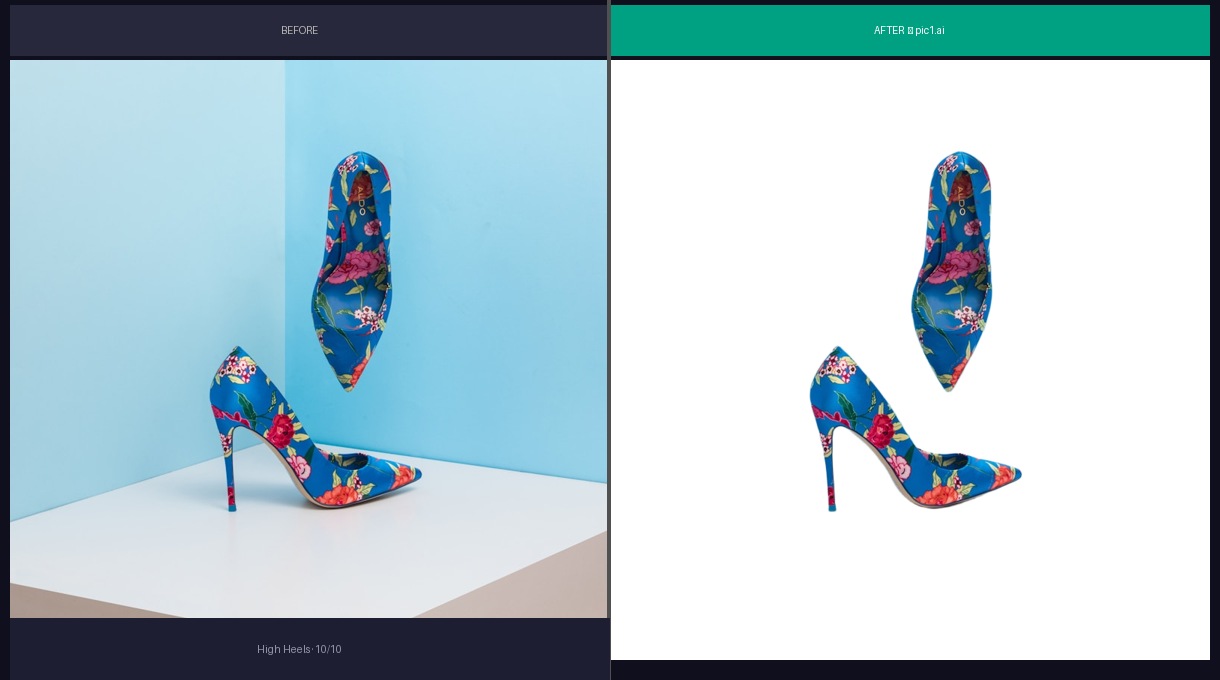
Patent leather is reflective, which usually means edge artifacts. The AI handled it — glossy finish intact, heel tip sharp, sole edge clean. I've sent worse results from human retouchers.
The geometric surface in the original photo has strong lines that could confuse segmentation. Didn't seem to matter here.
Score: 9/10. Would list this immediately.
White Sneakers
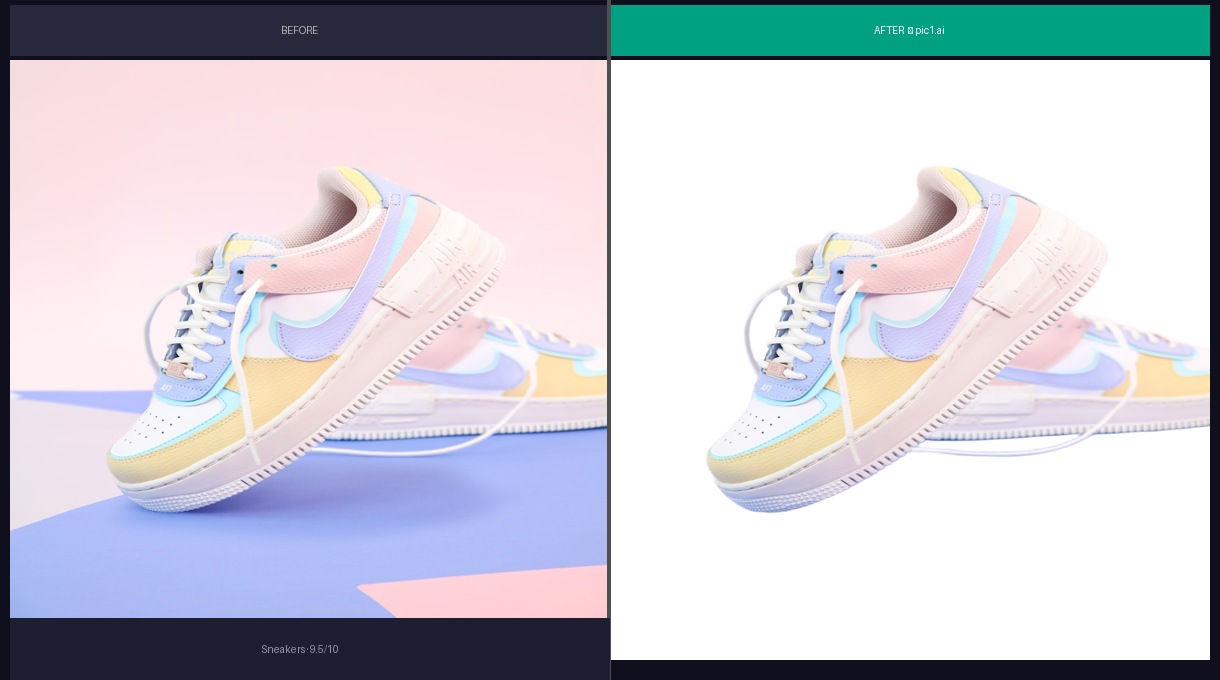
White shoe on a neon green gradient. The mesh texture on the upper survived, which is good — that's a selling point for athletic shoes and buyers zoom in on it.
There's a faint halo on the tongue area. You'd have to be looking for it. At thumbnail size it's invisible, but if someone downloads the full-res image, it's there.
Score: 8/10. The halo costs it a point.
Bags
Red Leather Handbag
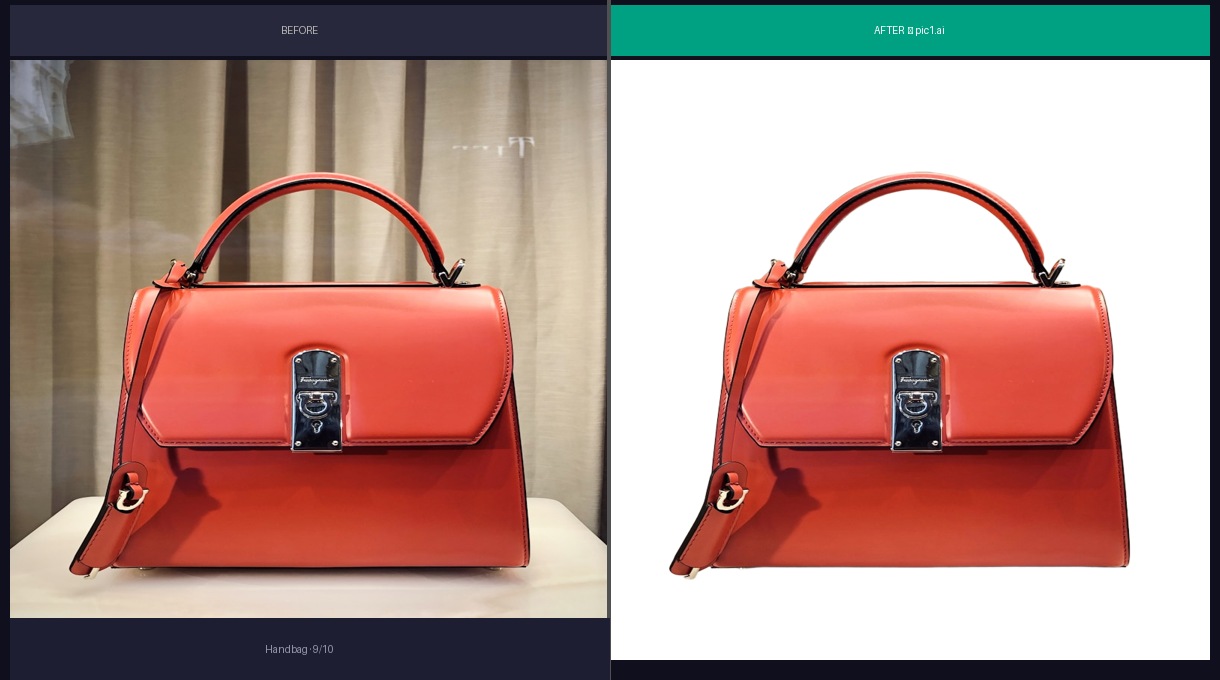
Metal hardware is the test here — zipper teeth, clasp, stitching. All intact. The handle cutout is clean, which is where most tools stumble on bags.
The shadow under the bag was removed correctly without eating into the leather. I've had retouchers accidentally clip the bottom edge trying to remove shadows. The AI was more precise than the human in this case.
Score: 9/10.
Black Backpack
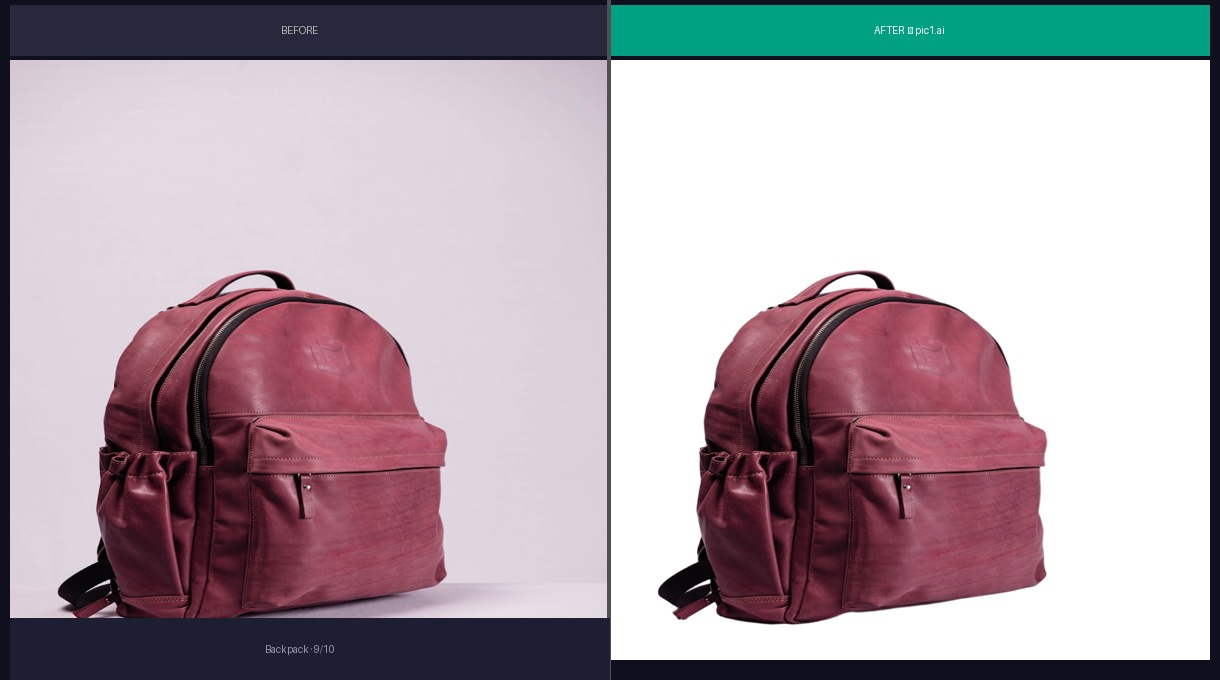
Black-on-dark is the classic failure mode. The AI needs to find where a dark product ends and a dark background begins, and there's often not much contrast to work with.
This one was fine. Strap edges clean, buckle details preserved. But I'll note that I've tested other black products (a black leather wallet, a black phone case) where the results were noticeably worse. The solid background here made it easier.
Score: 8/10. Docking a point because I know this category is inconsistent.
Eyewear
Sunglasses
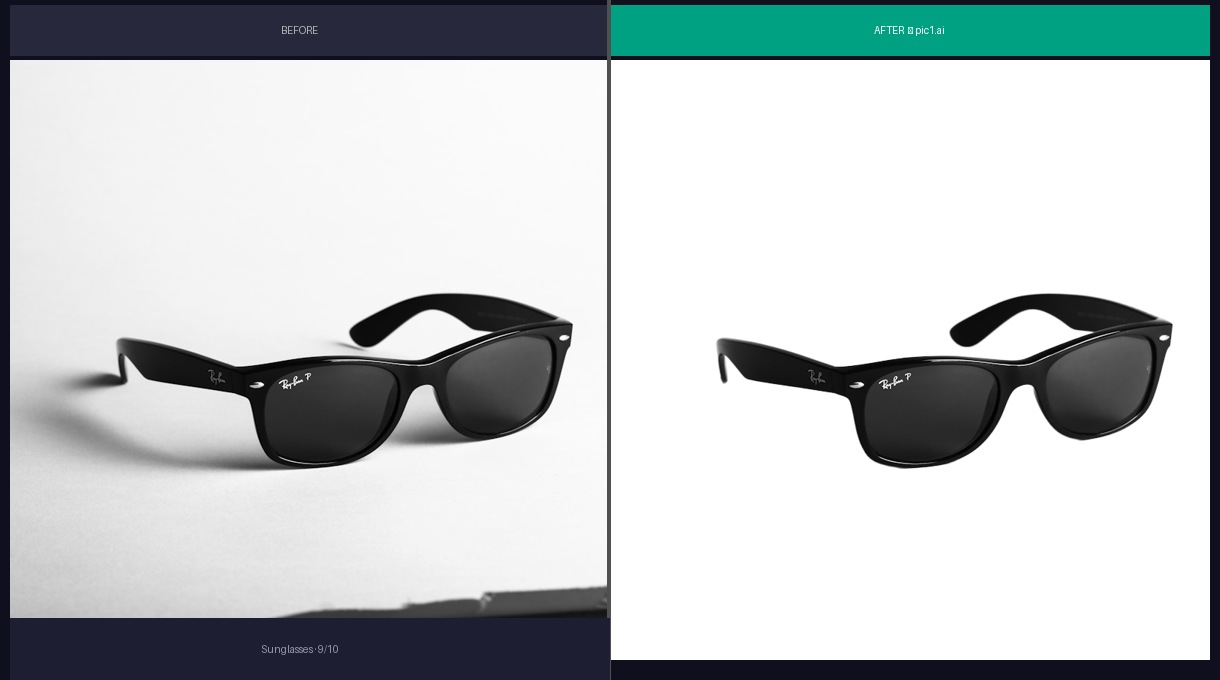
The interesting challenge here is the lenses. They're semi-transparent — you can see through them. The AI needs to understand that the dark area behind the lens is "product" even though it looks like background.
It got it right. Temple tips are sharp, hinge detail is there. The lens tint is preserved without any weird color shifts.
Score: 9/10. Eyewear sellers, this one's for you.
Audio
Over-Ear Headphones
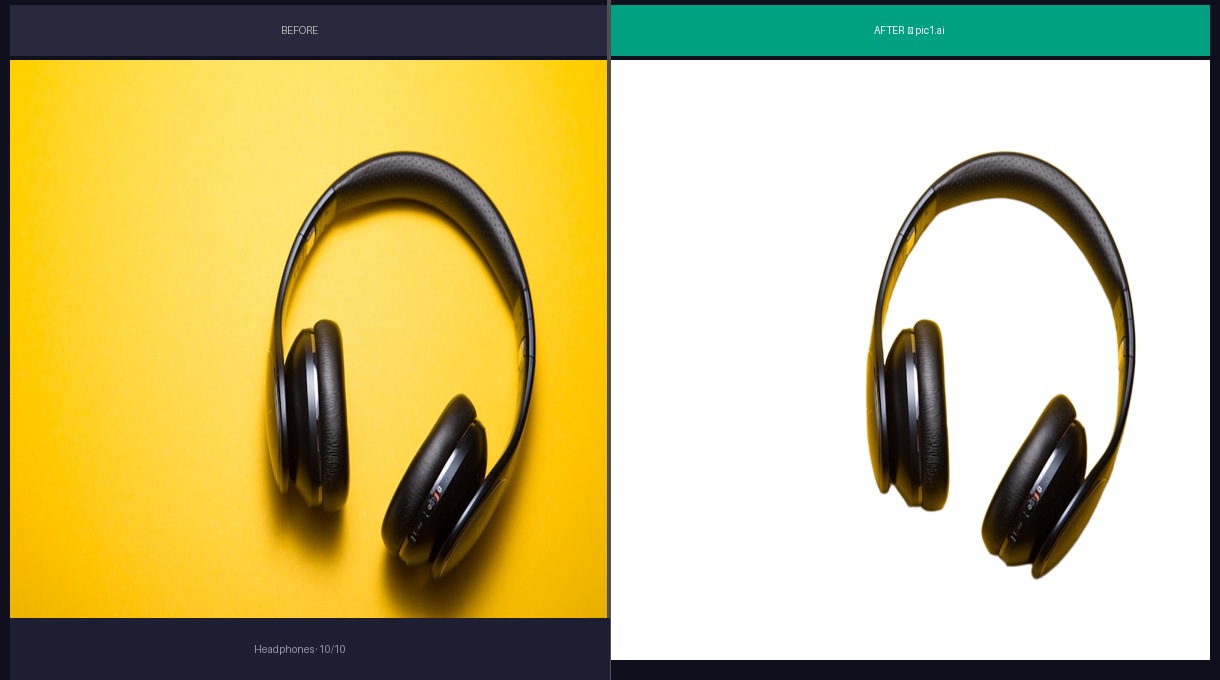
Matte black, curved headband, mesh ear cushions. Three different textures meeting at different angles.
Everything came through clean. The headband curve is smooth — no jagged stairstepping. The mesh texture on the ear cups is still readable at full zoom. I tested headphones on Photoroom last year and the headband got clipped at the top. This didn't.
Score: 9/10. One of the cleanest results in the batch.
Beauty
Perfume Bottle
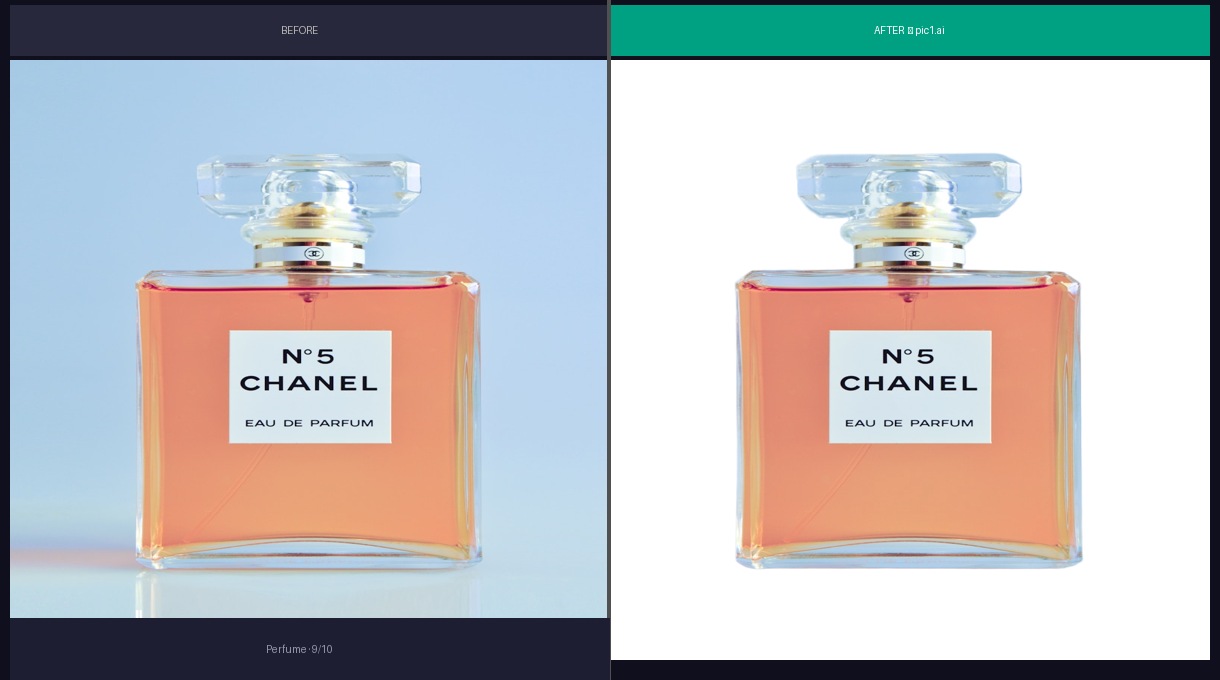
Glass. The final boss of background removal.
Semi-transparent material that reflects and refracts its surroundings. Remove the background and you risk changing how the glass looks entirely. The AI preserved the bottle's visual character — you can still "feel" the glass quality. The metallic cap edges are crisp.
I will say: if you shoot glass on a very colorful background, the results get worse. The color bleeds into the glass and the AI can't fully separate it. Shoot glass on neutral backgrounds if you can.
Score: 8/10. Good, with a caveat about glass photography.
Kitchen
Ceramic Mug
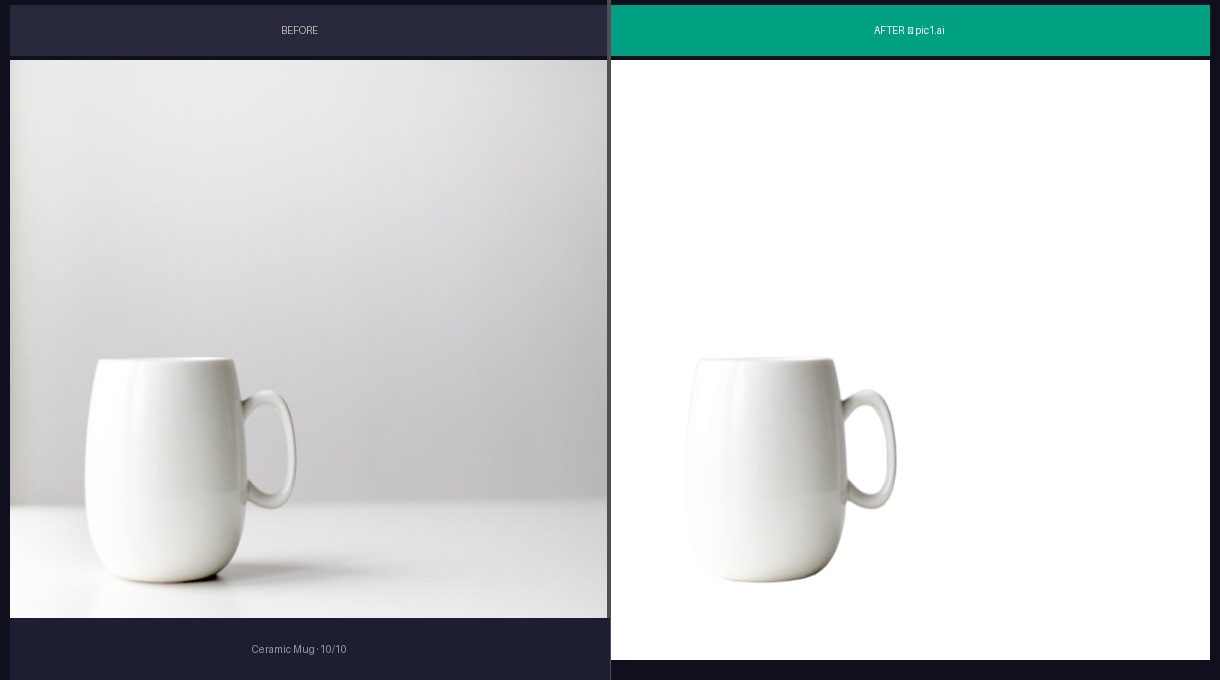
Simple shape, but the handle interior is the real test. It's a hole in the product — the AI needs to identify the background visible through the handle and remove it without clipping the handle itself.
Clean. Rim edge smooth, glaze reflection preserved, handle gap properly cut out.
Score: 9/10. Bread and butter for this kind of tool.
Home & Garden
Succulent Plant
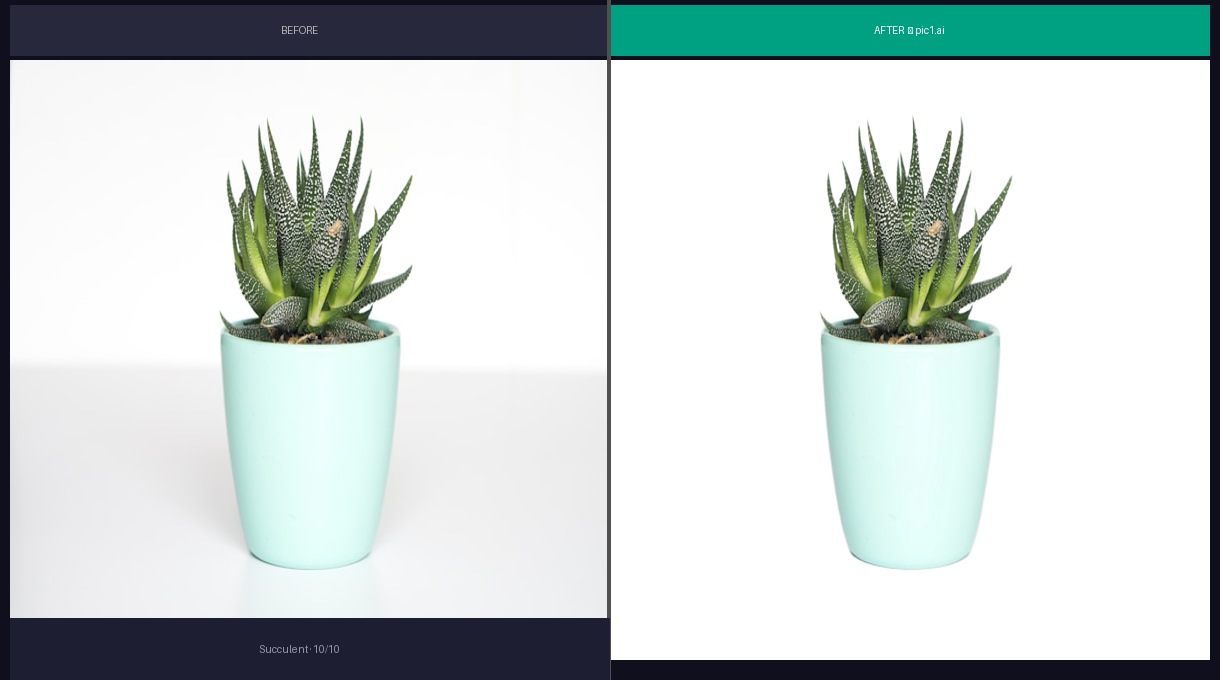
No straight lines. Leaves going everywhere. Some tips are partially translucent. This is about as far from a "clean product shot" as you can get.
The AI traced individual leaves instead of blobbing them together. Lost maybe a pixel on the thinnest tips. For a plant shop on Etsy, this is more than good enough — their quality bar is different from Amazon's.
Score: 8/10. Organic shapes are hard and this was solid.
Pendant Lamp
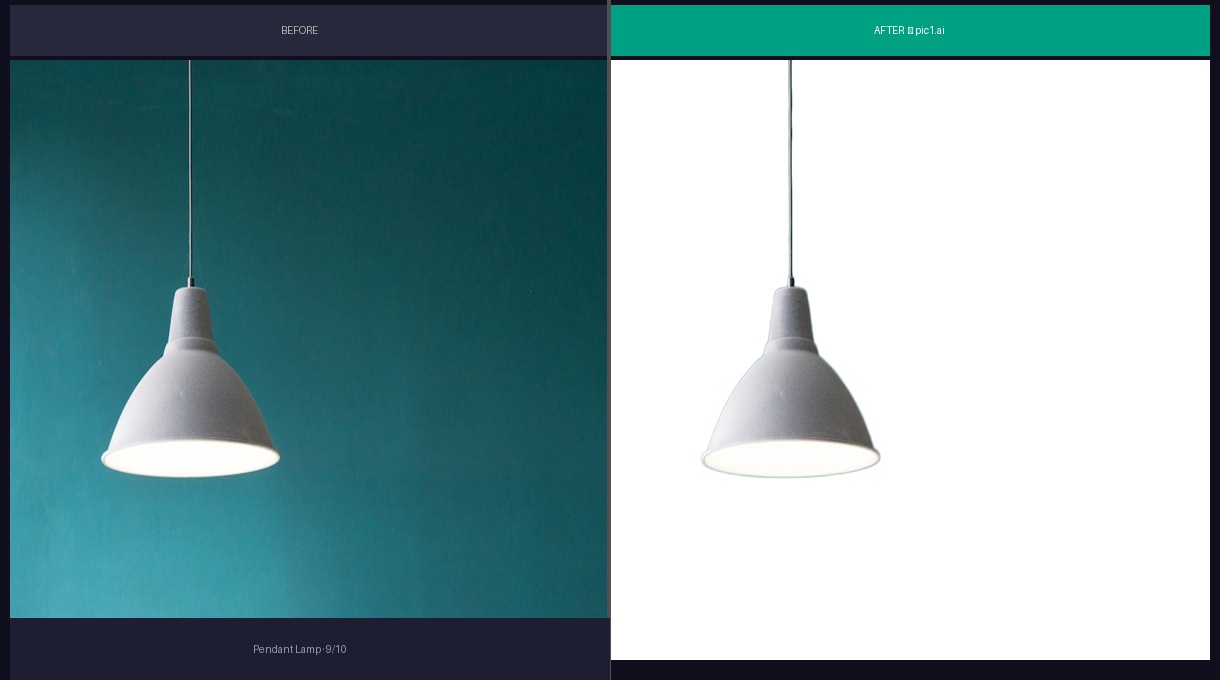
Thin metal frame, glass panels, a cord hanging from the top. Lots of negative space inside the lamp that needs to be correctly identified as "not product."
The frame edges are clean. The glass panels maintained their transparency. The cord is intact all the way up. My one complaint: the very top where the cord meets the ceiling mount lost a tiny bit of definition. Probably because the original photo had the cord fading into a similar-colored ceiling.
Score: 7/10. The cord issue would bug me on a close-up listing.
Furniture
Wooden Chair
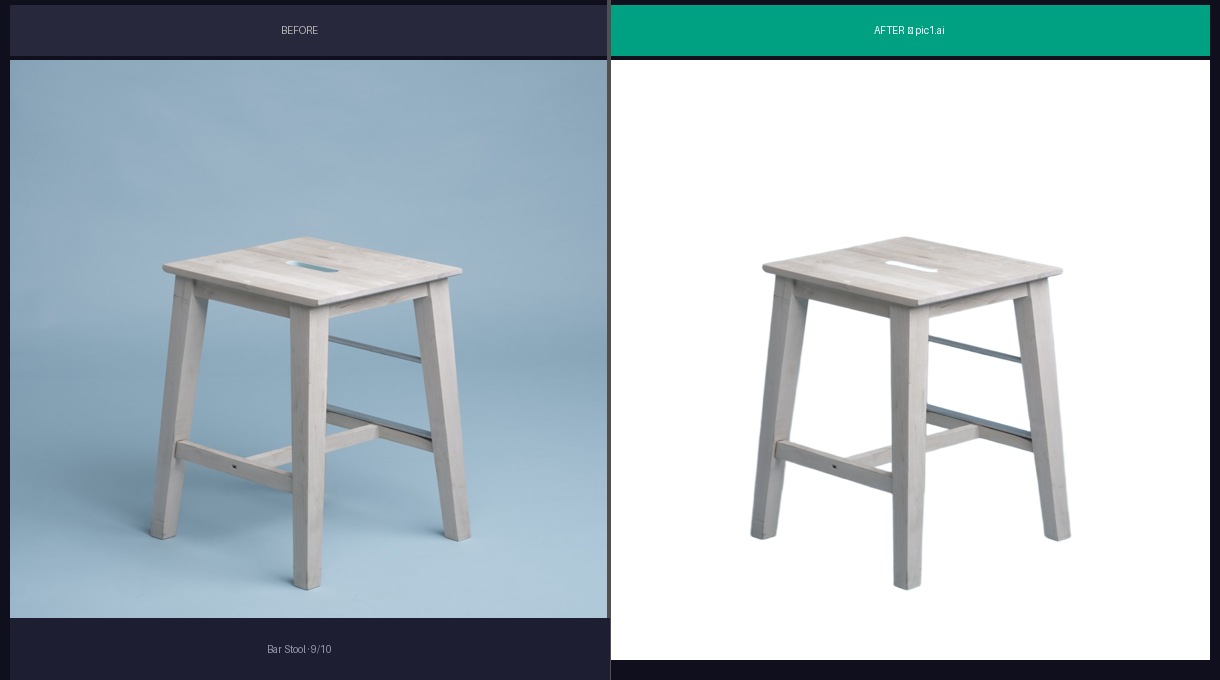
Furniture is big, has complex geometry, and usually sits on a floor that creates a gradient shadow. The chair legs are thin elements against the background — similar challenge to bag handles.
Legs came through intact. The wood grain texture is preserved. The seat cushion edge is clean. The shadow removal was aggressive but didn't clip into the product.
Score: 8/10. Furniture sellers, you can breathe.
Keyboard
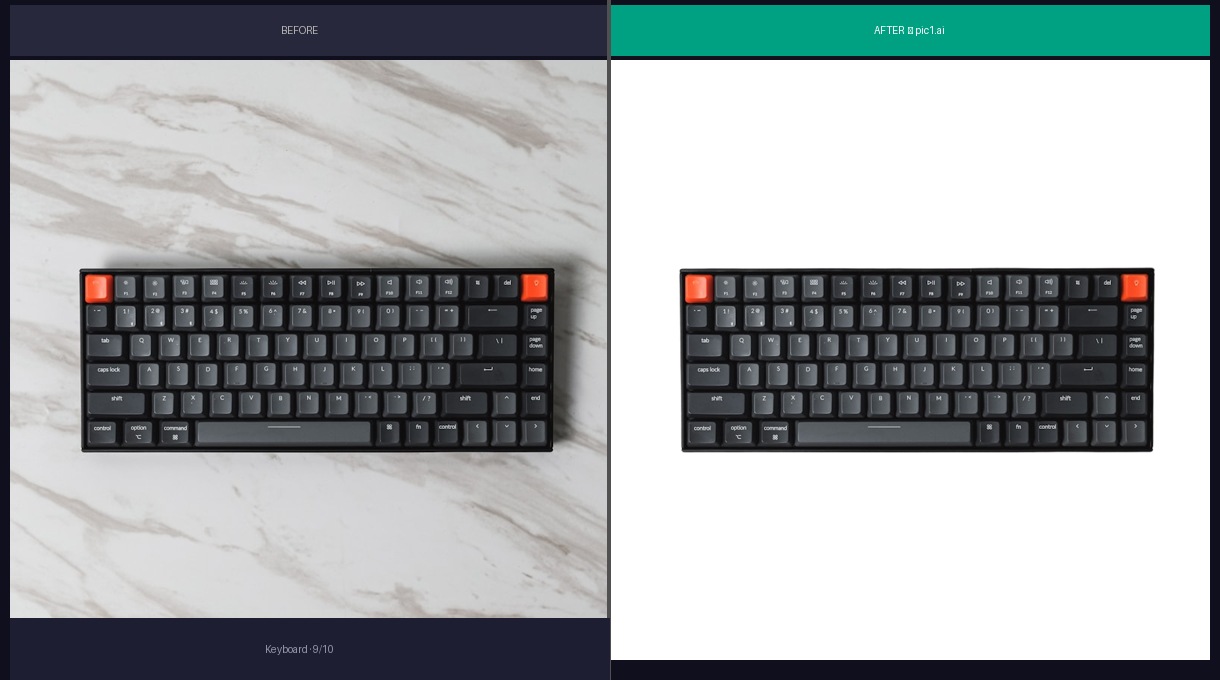
I threw this in because keyboards have a ton of small, repetitive elements (keys) with gaps between them. Each gap shows the background, and the AI needs to handle all of them.
Every key gap is clean. The keycap legends are readable. The cable is intact. This is actually one of the easier products despite looking complex — the regular geometry helps the AI.
Score: 9/10.
The Takeaway
Average: 8.4/10 across 12 categories.
The pattern I see: hard edges and solid colors = easy. Soft edges, transparency, and thin elements = harder but still workable. The only result I'd hesitate to use without touch-up is the lamp (cord issue).
Three things I wish I'd known before testing:
- Background color matters more than you think. Neutral backgrounds consistently produce better edges than colorful ones.
- Glass and reflective products need extra care in photography, not in editing. Shoot them right and the AI handles the rest.
- The "hard" products aren't always what you expect. I thought the plant would fail and the keyboard would be easy. I was right about the keyboard but wrong about the plant.
If you're spending more than 15 minutes per image on background removal, you're leaving money on the table. Run your inventory through pic1.ai and see which ones need human touch-up and which ones don't. For most sellers, it'll be 80/20 in favor of the AI.
That's not a sales pitch. That's just what the numbers looked like for me.